aiChat
aiChat 包含与 AI 对话所需的全部组件:消息列表、消息输入框、空状态,以及将与语言模型连接的生成周期。
XML 元素 |
|
|---|---|
Java 类 |
|
该组件组合并配置了 aiMessageList 和 aiMessageInput:
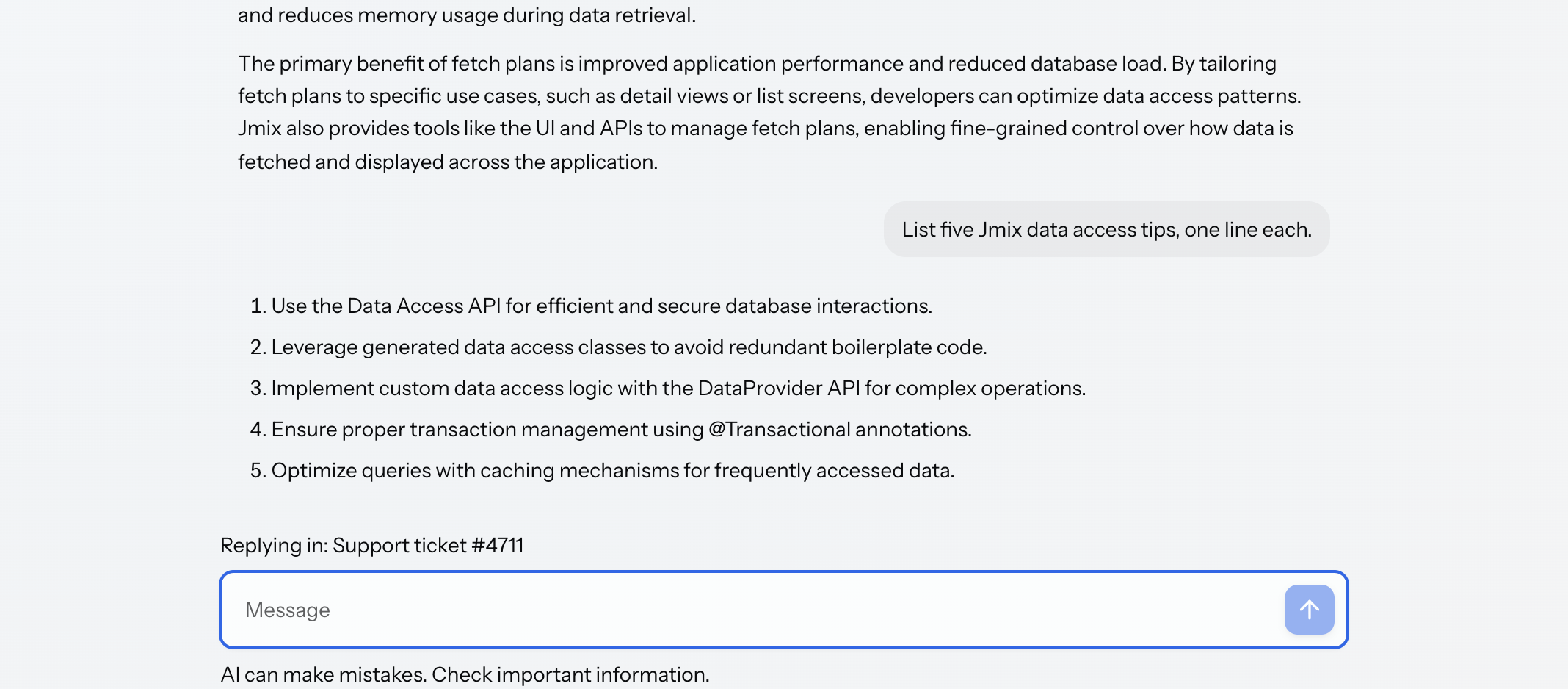
基本用法
一个基础的聊天需要一个 UI 元素和一个 provider。UI 元素:
<aichat:aiChat id="chat" width="100%" height="100%"/>Provider 提供组件所需的一个函数,参考 连接模型:
@Autowired
private ChatClient.Builder chatClientBuilder;

private ChatClient chatClient;

@Subscribe
public void onInit(final InitEvent event) {
    chatClient = chatClientBuilder.build();
}

@Install(to = "chat", subject = "llmProvider")
private Flux<String> llmProvider(final LLMProvider.LLMRequest request) {
    return chatClient.prompt()
            .user(request.userMessage())
            .stream()
            .content();
}
这就是一个可用的聊天。对话保存在内存中,当视图关闭时就会丢失。参考 绑定到数据,让对话在视图关闭后仍然存在。
系统提示词
系统提示词告诉模型它是什么:它的角色、用来回答的语言、以及必须拒绝什么等。将其声明为内部元素,会原封不动地使用配置的内容:
            <aichat:systemPrompt><![CDATA[You are the support assistant for an order management application.

Answer only questions about orders, customers and deliveries. If a question is
about anything else, say so and suggest the user contact their account manager.

Always answer in the language the question was asked in. Keep answers short:
two or three sentences unless the user asks for detail. When you refer to an
order, always include its number.

Never invent an order number, a delivery date or a price. If the answer is not
in the conversation, say that you do not have it.]]></aichat:systemPrompt>
如果通过 systemPrompt 属性配置,则接受单行值,并可以使用消息键。
|
声明的系统提示词本身不会起任何作用。聊天将其放入请求,由 provider 决定是否发送。只读取用户消息的 provider 会丢弃系统提示词,模型就会像不存在提示词一样作答。 如需发送系统提示词:
|
附件也是如此,与提示词和消息一起随请求传递。参考 将文件发送到模型。
消息与数据
消息就是数据。聊天通过 AiChatMessage 契约读取:角色、文本、时间(可选)以及附件。聊天 UI 不直接写入消息。
使用开箱即用的聊天时,会在内存中保存一个内置消息列表。如需持久化对话,请提供你自己实现该契约的实体:
@JmixEntity
@Table(name = "CHAT_MESSAGE")
@Entity
public class ChatMessage implements AiChatMessage {

    @JmixGeneratedValue
    @Column(name = "ID", nullable = false)
    @Id
    private UUID id;

    @Version
    @Column(name = "VERSION", nullable = false)
    private Integer version;

    @Column(name = "ROLE", nullable = false, length = 50)
    private String role;

    @Column(name = "CONTENT")
    @Lob
    private String content;

    @CreatedDate
    @Column(name = "CREATED_DATE")
    private OffsetDateTime createdDate;

    @ElementCollection
    @CollectionTable(name = "CHAT_MESSAGE_ATTACHMENTS",
            joinColumns = @JoinColumn(name = "CHAT_MESSAGE_ID"))
    @OrderColumn(name = "ATTACHMENTS_ORDER")
    @Convert(converter = FileRefConverter.class)
    @Column(name = "ATTACHMENTS", length = 1024)
    private List<FileRef> attachments;

    @Override
    public AiMessageRole getRole() {
        return role == null ? null : AiMessageRole.fromId(role);
    }

    public void setRole(AiMessageRole role) {
        this.role = role == null ? null : role.getId();
    }

    @Override
    public String getContent() {
        return content == null ? "" : content;
    }

    public void setContent(@Nullable String content) {
        this.content = content;
    }

    @Override
    public @Nullable Instant getTime() {
        return createdDate == null ? null : createdDate.toInstant();
    }

    @Override
    public List<FileRef> getAttachments() {
        return attachments == null ? List.of() : attachments; (1)
}| 1 | 由于契约要求的是一个列表而不是 null,所以这里需要将数据返回的 null 转为空列表。 |
然后将其加载到聊天关联的集合容器中:
<collection id="messagesDc" class="com.company.demo.entity.ChatMessage">
    <fetchPlan extends="_base"/>
    <loader id="messagesDl">
        <query>
            <![CDATA[select e from ChatMessage e order by e.createdDate]]>
        </query>
    </loader>
</collection> <aichat:aiChat id="chat"
dataContainer="messagesDc"
autoSave="true"
width="100%"
height="100%">
<aichat:actions>
<aichat:action id="clearAction"
text="msg://clearAction.text"
icon="TRASH"/>
</aichat:actions>
<aichat:systemPrompt><![CDATA[You are the support assistant for an order management application.
Answer only questions about orders, customers and deliveries. If a question is
about anything else, say so and suggest the user contact their account manager.
Always answer in the language the question was asked in. Keep answers short:
two or three sentences unless the user asks for detail. When you refer to an
order, always include its number.
Never invent an order number, a delivery date or a price. If the answer is not
in the conversation, say that you do not have it.]]></aichat:systemPrompt>
<aichat:inputHeader>
<span id="contextSpan" text="msg://contextSpan.text"/>
</aichat:inputHeader>
<aichat:inputFooter>
<span text="msg://disclaimer.text"/>
</aichat:inputFooter>
<aichat:emptyStateHeader>
<h3 text="msg://emptyStateHeader.text"/>
</aichat:emptyStateHeader>
<aichat:emptyStateFooter>
<span text="msg://emptyStateFooter.text"/>
</aichat:emptyStateFooter>
</aichat:aiChat>|
如上所示,按持久化属性对查询结果排序。契约的 |
该组件无法创建实体,因此需要安装一个能创建的工厂:
@Install(to = "chat", subject = "messageFactory")
private ChatMessage messageFactory(final AiChatMessageContext context) {
    ChatMessage message = dataManager.create(ChatMessage.class);
    message.setRole(context.getRole());
    message.setContent(context.getContent());
    return message;
}
工厂会为每条已提交的消息调用一次:用户消息在提交时调用,答案在完成时调用。
持久化
上面示例中展示的 autoSave="true" 会让聊天通过视图的 DataContext 进行持久化:每条已提交消息都会被合并然后保存,而回退操作移除的消息会被删除。
|
|
不使用 autoSave 时,可以通过安装这两个委托进行消息的持久化。每条已提交消息都会运行 saveDelegate,在它进入对话之前运行,聊天会采用委托返回的实例。持久化层返回的对象通常与传入的对象不同,而容器和 DataContext 会继续跟踪返回的那个对象。回退丢弃的每条消息也都会运行 removeDelegate,最新的先执行。
如果需要用自己的方式持久化,也可以两个都不安装,转而监听 MessageChangeEvent,该事件会报告每一条添加或移除的消息。
空状态
空状态是在第一条消息之前,聊天会将消息输入框居中显示在该空间中,并在其上下提供两个插槽,用于显示问候语、建议或免责声明:
<aichat:emptyStateHeader>
    <h3 text="msg://emptyStateHeader.text"/>
</aichat:emptyStateHeader>
<aichat:emptyStateFooter>
    <span text="msg://emptyStateFooter.text"/>
</aichat:emptyStateFooter>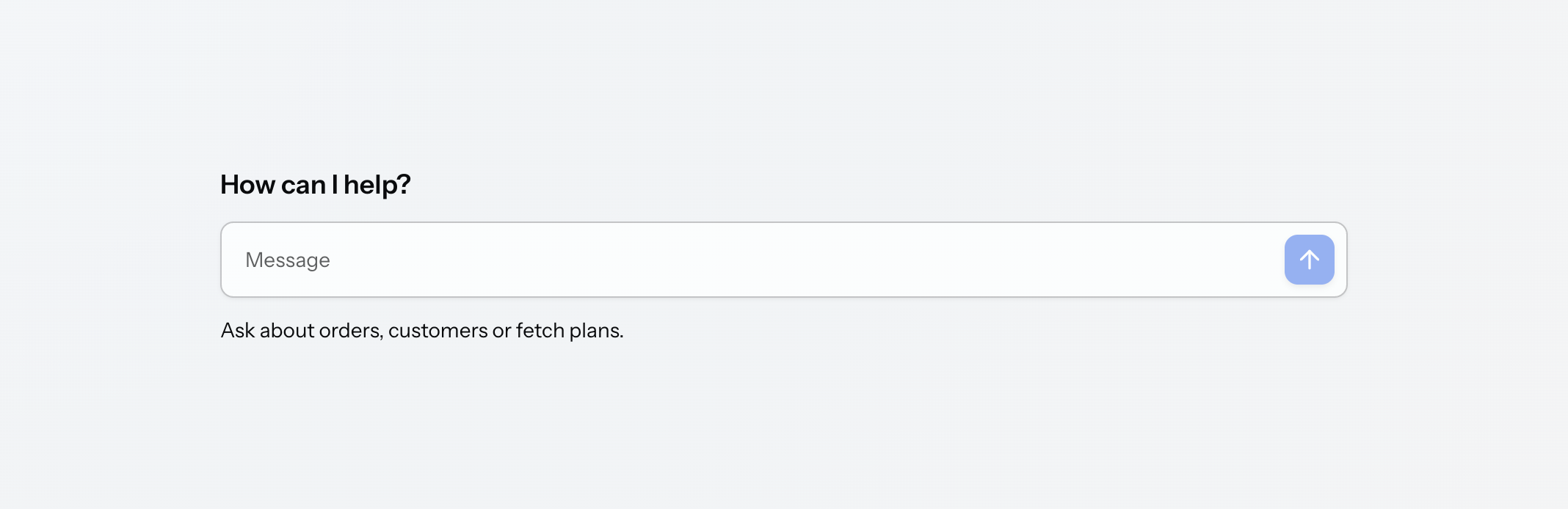
一旦第一条消息到达,空状态就会折叠为正常的底部固定布局。
消息输入区域
inputHeader 和 inputFooter 将应用程序的特定内容放入消息输入框内部,但在其框体之外,例如字段上方的上下文行或下方的免责声明:
<aichat:inputHeader>
    <span id="contextSpan" text="msg://contextSpan.text"/>
</aichat:inputHeader>
<aichat:inputFooter>
    <span text="msg://disclaimer.text"/>
</aichat:inputFooter>com.company.demo.view.chat/disclaimer.text=AI can make mistakes. Check important information.|
当聊天为空时,这两个区域都会隐藏,因为空状态中已经提供了特定的插槽。发送一条消息后,该区域就会显示。如需在聊天为空时保持某个区域可见,请使用 |
生成
聊天在三种状态之间切换(空闲、生成中和错误),并在每一次转换时发送事件:
@Subscribe("chat")
public void onChatGenerationStateChange(
        final GenerationStateChangeEvent<SimpleAiChatMessage> event) {
    stateSpan.setText(event.getNewState().name());
    stopButton.setEnabled(event.getNewState() == GenerationState.GENERATING);
}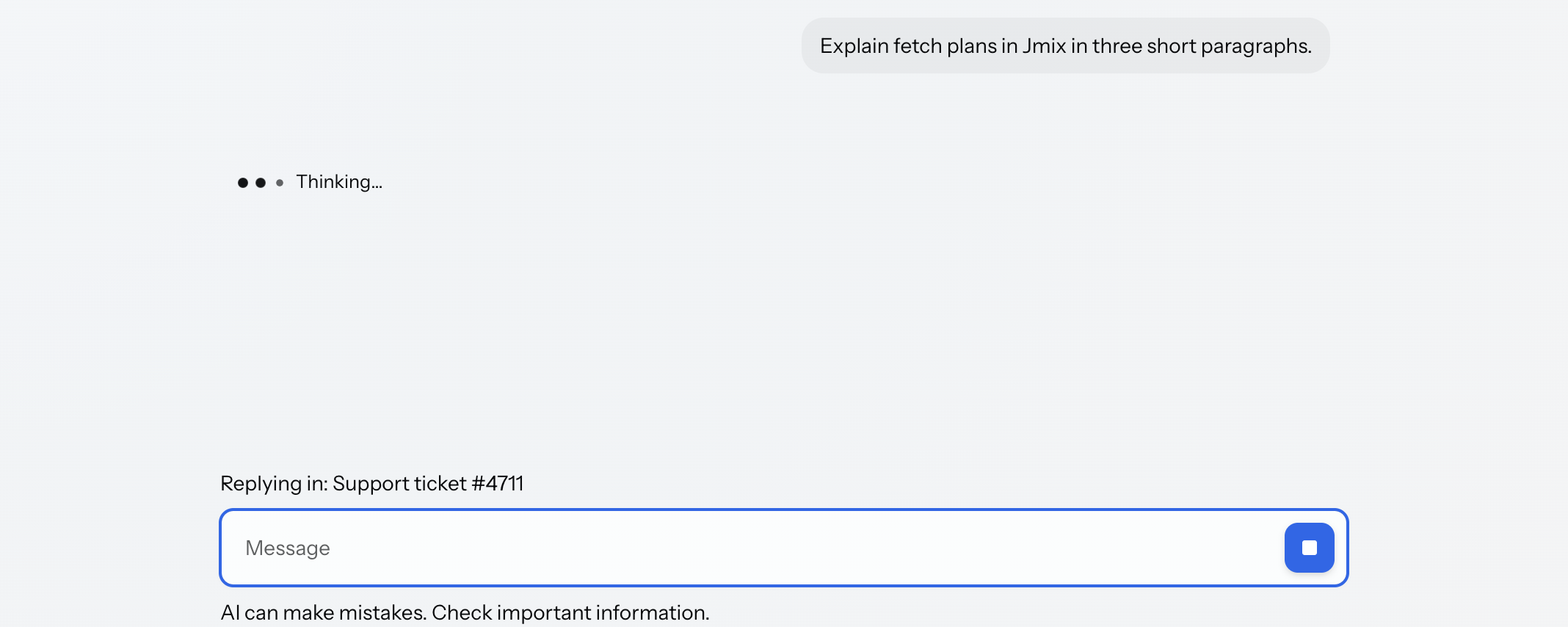
停止和重新生成无需任何代码改动即可供用户使用:当答案正在生成时,消息输入框的发送按钮会变成停止按钮,错误横幅上会出现 重试 按钮。已停止生成的未完成答案会保留在屏幕上,并且不会提交。
还可以从应用程序中调用这些操作,适用于在其他地方为聊天提供这些操作,例如对话上方的工具栏、菜单或快捷键。下面的示例将操作与两个按钮关联,不需要多余的代码即可完成功能:
@Subscribe("stopButton")
public void onStopButtonClick(final ClickEvent<JmixButton> event) {
    chat.stop();
}

@Subscribe("regenerateButton")
public void onRegenerateButtonClick(final ClickEvent<JmixButton> event) {
    chat.regenerate();
}
要让用户能够重新生成聊天中任意位置的答案,而不仅仅是最新的,需要声明内置消息操作。该操作会将对话回退到特定消息并再次运行:
<aichat:assistantActions>
    <aichat:action id="assistantRegenerate"
                   type="aichat_messageRegenerate"/>
</aichat:assistantActions>
当生成失败时,消息列表会显示一个带有 重试 按钮的错误横幅,并且应用程序会收到错误通知以及错误发生前已经收到的文本:
@Subscribe("chat")
public void onChatGenerationFailed(
        final GenerationFailedEvent<SimpleAiChatMessage> event) {
    notifications.show(messageBundle.formatMessage("generationFailed.notification",
            event.getError().getMessage()));
}| 保存失败和生成失败都会使用相同的错误状态,而 重试 会重新生成答案,而不是重试保存。 |
聊天操作
聊天组件中有常规的 Jmix 操作,可以与视图中的任意组件绑定:
<aichat:actions>
    <aichat:action id="clearAction"
                   text="msg://clearAction.text"
                   icon="TRASH"/>
</aichat:actions><button id="clearButton" action="chat.clearAction"/>这些是聊天组件自己的操作,而不是 消息操作 中描述的对每条消息的操作。
配置各个部分
消息列表和消息输入框提供的所有功能都可以从聊天中访问。maxRows、enterAction 和附件属性用于配置消息输入框;announceMessages 用于配置消息列表;thinkingIndicator、thinkingStages、userActions 和 assistantActions 元素在聊天上声明并用于消息列表;inputPrefix 和 inputSuffix 填充消息输入框的插槽。每个功能的作用参见 aiMessageList 和 aiMessageInput。
样式
aiChat 没有自定义 HTML 元素,而是渲染为一个普通的 div,其中包含消息列表和消息输入框。因此不开放任何 shadow part,也无法通过标签名在 CSS 中选择,或在浏览器检查器中通过标签名找到。需要通过配置的 class 或 id 设置样式,并通过其中的组件来定位各个部分:
<aichat:aiChat id="chat"
               classNames="branded-chat"
               themeNames="fixed-toolbar"
               width="100%"
height="100%"/>.branded-chat jmix-ai-message-input::part(input-container) {
border-radius: 0;
border-color: var(--vaadin-border-color-secondary);
}可以在 CSS 样式表中使用下面的样式属性自定义其组件的外观。
| 名称 | 描述 |
|---|---|
|
对话列的宽度。该属性会投射到消息列表和消息输入框上,因此会一并调整对话、输入框和空状态的大小。 |
其余样式需要对包含的组件单独设置。参考 aiMessageList、aiMessageInput 和 aiCodeBlock。
本地化
聊天自身的文本在扩展组件的消息包中定义,使用 aiChat.i18n.* 键。其嵌套的 i18n 元素与组件树对应:元素本身的属性可以用来重写聊天组件的文本,而嵌套的 messageList、messageInput 和 codeBlock 元素则可定义其组合的各个部分的文本。参见 本地化。
附件
聊天组件可以端到端地处理附件:消息输入框收集,消息工厂存储,消息列表渲染。参见 附件。
XML 属性
下面是 aiChat 的特殊属性:
| 名称 | 描述 | 默认值 |
|---|---|---|
仅允许上传所配置文件扩展名类型的附件。参见 附件。 |
— |
|
限制附件的媒体类型。参见 附件。 |
— |
|
设置到达的消息是否向屏幕阅读器播报。参见 无障碍。 |
|
|
设置消息输入框是否可以接受附件。参见 附件。 |
|
|
通过视图的 |
|
|
将聊天绑定到消息的集合容器。参见 消息与数据。 |
— |
|
设置 Enter 在消息输入框中的作用。参见 文本域。 |
|
|
设置单个附件的最大大小,以字节为单位。参见 附件。 |
|
|
设置一条消息可以携带多少个附件。参见 附件。 |
|
|
设置消息输入框在滚动之前可以增长到多少行。参见 文本区域。 |
|
|
设置随每个请求发送的系统提示词。也可以声明为嵌套元素以提供多行值。 |
— |
|
应用主题样式,包括 |
— |
|
设置是否可以将文件拖放到消息输入框上。参见 附件。 |
|
下面是 aiChat 支持的通用组件属性:
事件和处理器
下面是 aiChat 的特殊事件和处理器:
| 名称 | 描述 |
|---|---|
当用户点击消息中的附件时触发。参见 从对话中下载。 |
|
当文件由于附件限制被拒绝时触发。参见 被拒绝的文件。 |
|
当生成失败时触发。携带错误内容以及出错之前收到的文本。参见 生成。 |
|
在空闲、生成中和错误之间的每次转换时触发。参见 生成。 |
|
当消息被提交或移除时触发。参见 持久化。 |
|
必需参数。为请求提供答案,以文本流的形式。参见 基础用法。 |
|
为绑定的源创建消息实例。当聊天绑定到自定义实体时必需。参见 消息与数据。 |
|
删除回退操作从对话中丢弃的消息。参见 持久化。 |
|
持久化已提交消息,并返回聊天此后应持有的实例。参见 持久化。 |
下面是 aiChat 支持的其他 Jmix 事件:
XML 内部元素
一个 aiChat 元素内可以包含 actions、systemPrompt、inputPrefix、inputSuffix、inputHeader、inputFooter、thinkingIndicator、thinkingStages、userActions、assistantActions、emptyStateHeader、emptyStateFooter 和 i18n 作为嵌套元素。
actions
actions 元素包含聊天自有的 action 元素。参建 聊天操作。
emptyStateHeader、emptyStateFooter
这些元素配置聊天为空时显示在消息输入框上方和下方的内容。参见 空状态。
thinkingIndicator、thinkingStages、userActions、assistantActions
这些元素配置消息列表,详情参考 aiMessageList。
i18n
i18n 元素重新配置该聊天的本地化文本,并通过其嵌套的 messageList、messageInput 和 codeBlock 元素配置各个部分的文本。参见 本地化。