aiMessageList
基本用法
在视图的 XML 中声明 aichat 命名空间:
<view xmlns="http://jmix.io/schema/flowui/view"
      xmlns:aichat="http://jmix.io/schema/aichat/ui"
title="msg://MessageListView.title">| 如果是通过 Studio 顶部操作栏的 Add Component 添加该组件,则会自动添加所需的命名空间。参见 组件工具箱。 |
声明消息列表的元素:
<aichat:aiMessageList id="transcriptList" width="100%"/>消息
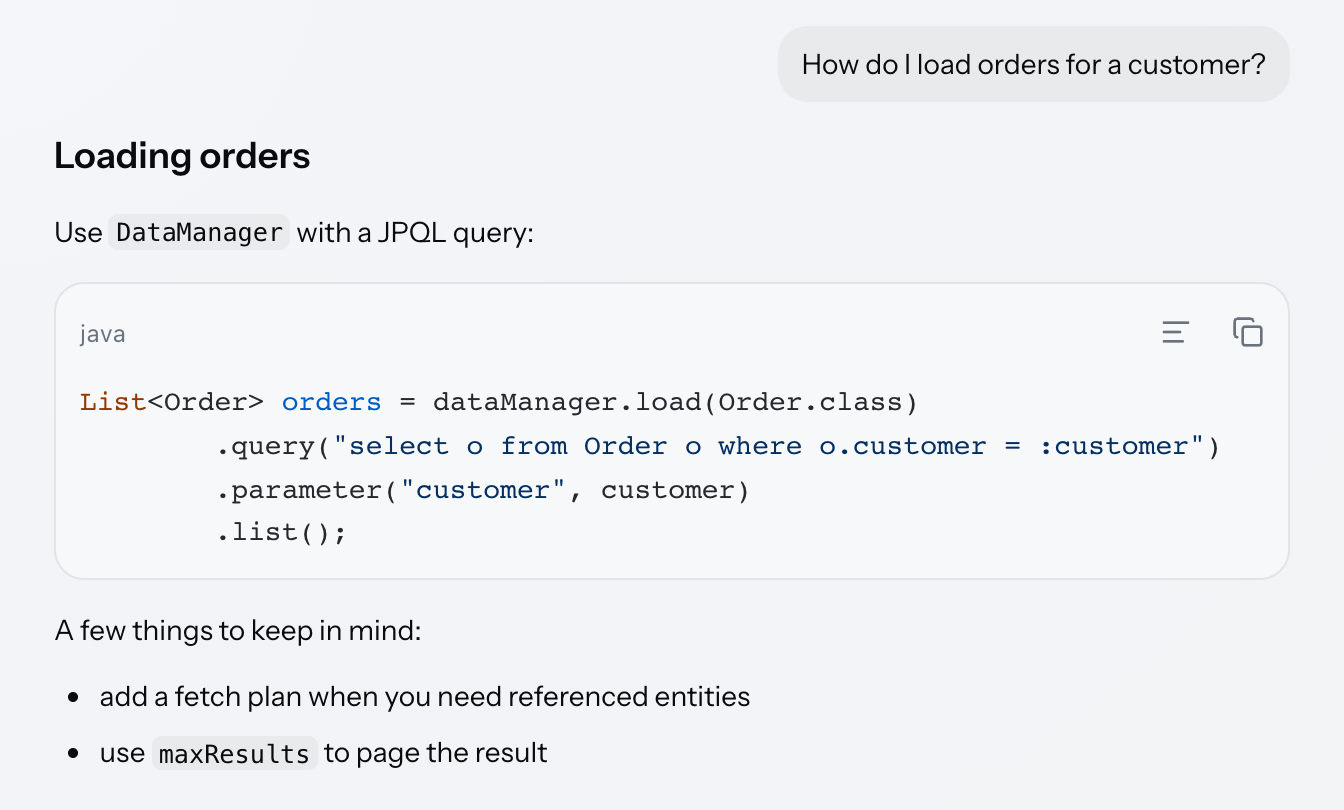
消息是通过 AiMessageListItem 工厂方法构建的条目:
transcriptList.setItems(
        AiMessageListItem.user("How do I load orders for a customer?"),
        AiMessageListItem.assistant("""
                ## Loading orders

                Use `DataManager` with a JPQL query:

                ```java
                List<Order> orders = dataManager.load(Order.class)
                        .query("select o from Order o where o.customer = :customer")
                        .parameter("customer", customer)
                        .list();
                ```

                A few things to keep in mind:

                - add a fetch plan when you need referenced entities
                - use `maxResults` to page the result
                """),
        AiMessageListItem.user(LONG_QUESTION)
);
助手的消息渲染为 Markdown:标题、列表、表格、链接和行内代码。围栏代码块使用 aiCodeBlock 渲染,带有语言标签、高亮以及内部的复制和换行操作。用户消息渲染为气泡中的纯文本,因此用户消息中的 Markdown 会按输入原样显示。
addItem 可将单条消息追加到已显示的列表中:
@Subscribe("addItemButton")
public void onAddItemButtonClick(final ClickEvent<JmixButton> event) {
    transcriptList.addItem(AiMessageListItem.user("And how do I page the result?"));
}| 一个条目的实例属于一个消息列表,因此只能显示一次。如果在列表中反复添加同一个实例,或将同一个实例添加到另一个列表中,都会被拒绝。 |
驱动生成的内容
应用程序可以针对列表本身完整运行一轮,而无需 aiChat。顺序是:追加用户消息,追加一条空的助手消息用于流式写入,将列表切换为 GENERATING,在答案回来时追加答案,然后将列表恢复为 IDLE。
@Subscribe("generateButton")
public void onGenerateButtonClick(final ClickEvent<JmixButton> event) {
    drivenList.addItem(AiMessageListItem.user("What is a fetch plan?"));

    AiMessageListItem answer = AiMessageListItem.assistant("");
    drivenList.addItem(answer);
    drivenList.setState(GenerationState.GENERATING);

    backgroundWorker.handle(new AnswerTask(answer)).execute();
}

private class AnswerTask extends BackgroundTask<String, Void> {

    private final AiMessageListItem answer;

    private AnswerTask(AiMessageListItem answer) {
        super(30, TimeUnit.SECONDS, MessageListView.this);
        this.answer = answer;
    }

    @Override
    public Void run(TaskLifeCycle<String> taskLifeCycle) throws Exception {
        ThinkingStatusPublisher statuses = drivenList.getThinkingStatusPublisher();

        ThinkingStatusItem searching = statuses.start("Searching the documentation");
        Thread.sleep(1200);
        searching.complete("4 pages");

        ThinkingStatusItem writing = statuses.start("Writing the answer");

        for (String chunk : ANSWER_CHUNKS) {
            Thread.sleep(400);
            taskLifeCycle.publish(chunk);
        }

        writing.complete();
        return null;
    }

    @Override
    public void progress(List<String> chunks) { (1)
        chunks.forEach(answer::appendText);
    }

    @Override
    public void done(Void result) {
        drivenList.setState(GenerationState.IDLE);
        drivenList.getThinkingStatusPublisher().clear();
    }
}| 1 | progress 在 UI 线程上运行,因为 appendText 需要如此。各个块从后台任务发布,并在此处追加。 |
|
每一轮的两个环节有不同的线程规则。
下文 描述的思考动态是个例外:它会自行获取 UI 锁,因此可以从任何线程调用。 |
|
思考指示器会附加到正在生成的消息上。当最后一条消息是用户消息时,将列表设置为 |
当列表正在生成时,getActiveItem() 返回末尾的助手消息,否则返回 null。
思考指示器
当正在生成列表而答案还是空时,会显示一个三个点的动态指示器,并附带一个文本:

可以通过 thinkingIndicator 元素用任意组件替换该指示器。但仅能替换动画图片,文本标签还是保留:
<aichat:thinkingIndicator>
    <image id="customIndicator"
           resource="public/images/logo.png"
           alternateText="msg://customIndicator.alternateText"
           width="1.75em"
           height="1.75em"/>
</aichat:thinkingIndicator>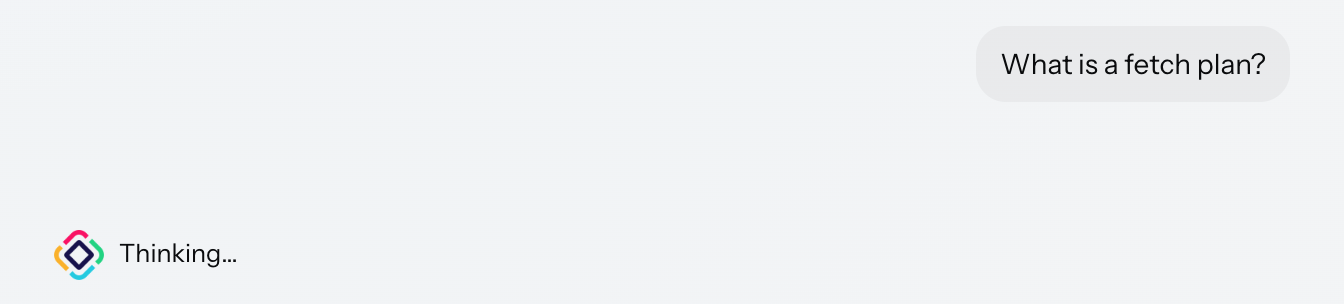
标签会随着生成时间变长而升级,这样生成慢的答案就不会看起来像是停滞了。通过 thinkingStages 元素定义级别。每个级别配置一个延迟,时间到了就用其文本替换前一个文本:
<aichat:thinkingStages>
    <aichat:thinkingStage delayMillis="600"
                          text="msg://thinkingStage.thinking"/>
    <aichat:thinkingStage delayMillis="4000"
                          text="msg://thinkingStage.stillThinking"/>
</aichat:thinkingStages>
思考动态
思考动态可以报告助手正在做什么,每个步骤一行,渲染在思考指示器上方。每行都有一个旋转指示器,当步骤完成时会变成对勾:
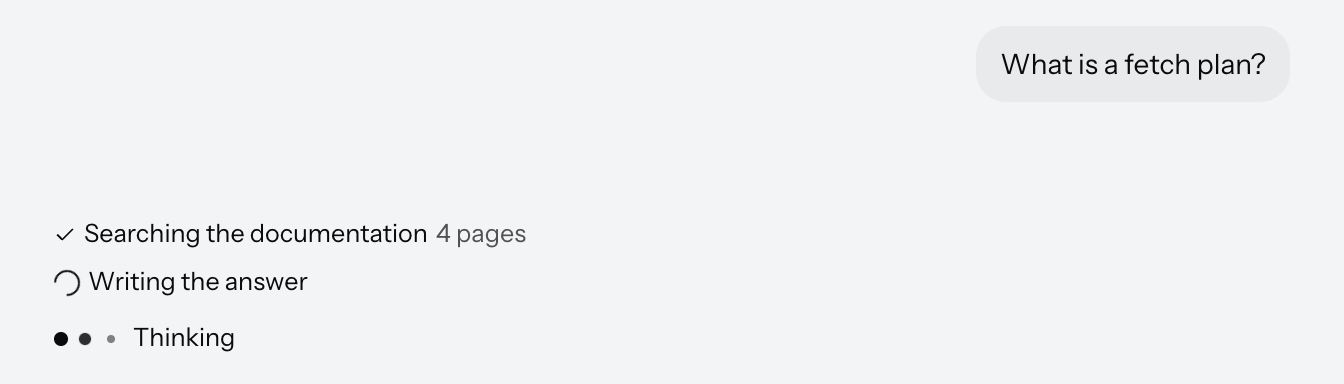
从列表获取 publisher,在步骤开始时启动状态,在步骤结束时完成,附带一个可选的简短结果:
@Override
public Void run(TaskLifeCycle<String> taskLifeCycle) throws Exception {
    ThinkingStatusPublisher statuses = drivenList.getThinkingStatusPublisher();

    ThinkingStatusItem searching = statuses.start("Searching the documentation");
    Thread.sleep(1200);
    searching.complete("4 pages");

    ThinkingStatusItem writing = statuses.start("Writing the answer");
Publisher 会自行获取 UI 锁,因此从后台线程调用也是安全的,如上所示,代码在后台任务的 run 方法中运行。statuses 变量是临时的,因此在一轮结束时会自动清除。
错误和重试
将列表设置为 ERROR 会显示一个带有 Retry 按钮的横幅。该横幅是组件自带的,应用程序无需配置 XML:

@Subscribe("failButton")
public void onFailButtonClick(final ClickEvent<JmixButton> event) {
    drivenList.addItem(AiMessageListItem.user("Why did that fail?"));
    drivenList.setState(GenerationState.ERROR);
}

private void registerRetryListener() {
    drivenList.addRetryListener(event -> {
        AiMessageListItem userMessage = event.getUserMessage();
        notifications.show(messageBundle.formatMessage("retry.notification",
                userMessage != null ? userMessage.getText() : "-"));
        drivenList.setState(GenerationState.IDLE);
    });
}|
|
消息操作
按照对话中角色的不同,定义不同的消息操作。当鼠标悬停或消息获得焦点时,显示在消息上:
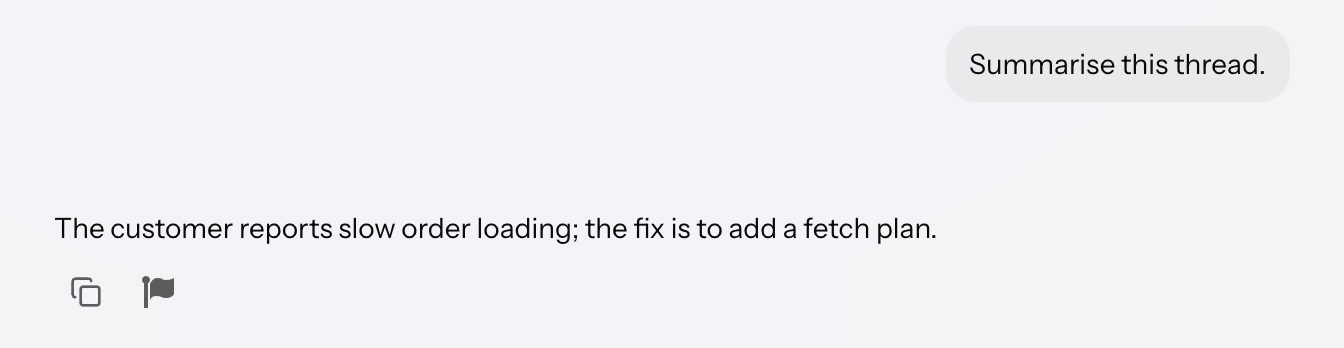
<aichat:aiMessageList id="actionsList" width="100%">
    <aichat:userActions>
        <aichat:action id="userCopy" type="aichat_messageCopy"/>
    </aichat:userActions>
    <aichat:assistantActions>
        <aichat:action id="assistantCopy" type="aichat_messageCopy"/>
        <aichat:action id="reportAction"
                       icon="FLAG"
                       description="msg://reportAction.description"/>
    </aichat:assistantActions>
</aichat:aiMessageList>
aichat_messageCopy 是内置操作,会将消息源复制到剪贴板。任何其他操作都是普通的 Jmix 操作:需要指定 id、图标和描述,并在控制器中处理。事件携带调用该操作时所对应的消息:
@Subscribe("actionsList.reportAction")
public void onReportAction(final AiMessageActionPerformedEvent event) {
    AiMessageListItem item = event.getItem();
    notifications.show(messageBundle.formatMessage("reportAction.notification",
            item.getText()));
}|
另一种内置操作类型 |
长消息
较长的用户消息会折叠到一个固定的高度,并带有渐隐效果和 Show more 按钮。不折叠助手的消息。
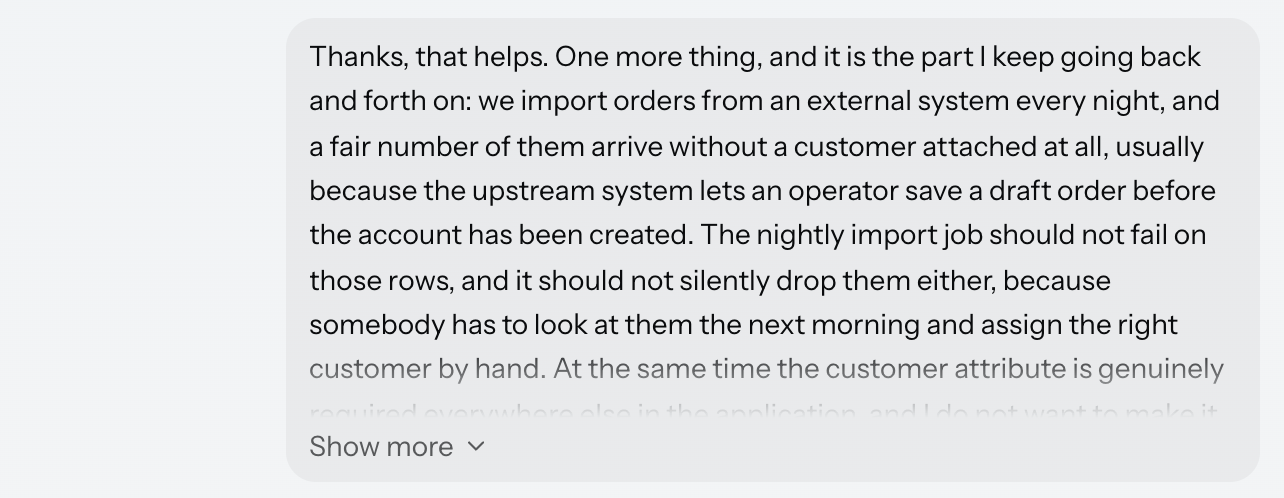
高度阈值是渲染的高度,而不是字符数,略微超过阈值的消息会完整显示,而不会为了少数几行就折叠。因此,同样的文本可能在窄容器中折叠,而在宽容器中不折叠,因为宽度会决定如何换行。
滚动
当答案正在进行流式传输时,列表会将视口保持在底部,以便能显示新出现的文本。
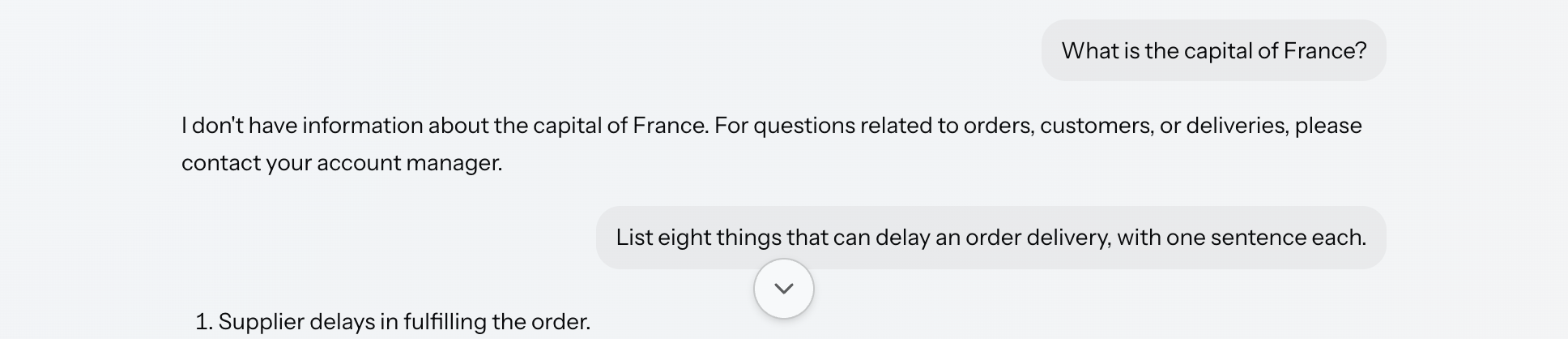
当向上滚动时,会脱离这种状态:列表停止跟随,无论期间到达多少内容,都不会强行跳转至新的内容。列表底部会出现一个圆形按钮,用于返回底部;点击后会向下滚动并重新启用跟随,手动向下滚动也会重新启用。但是,以编程方式滚动不会产生状态脱离。
方向键可以将焦点从一条消息移动到另一条消息,并将每条消息滚动到视野中,因此无需鼠标即可阅读对话。
可访问性
设置 announceMessages 可使列表通过 ARIA live region 向屏幕阅读器播报到达的消息:
<aichat:aiMessageList id="announceList"
                      width="100%"
                      announceMessages="true"/>
本地化
列表自身的标签来自该扩展组件的消息包,位于 aiMessageList.i18n.* 键值中,包括错误横幅、Retry 按钮、滚动到底部按钮、复制操作以及 Show more / Show less 切换按钮。在应用程序的消息包中覆盖,即可对文本进行本地化。
如需修改独立使用的列表文本,请在 XML 中添加内部的 i18n 元素。该元素带有一个内部的 codeBlock 元素,用于修改此列表的助手消息中渲染的代码块的文本:
<aichat:aiMessageList id="i18nList" width="100%">
    <aichat:i18n showMore="msg://i18nList.showMore"
                 showLess="msg://i18nList.showLess">
        <aichat:codeBlock copy="msg://i18nList.codeCopy"/>
    </aichat:i18n>
</aichat:aiMessageList>com.company.demo.view.messagelist/i18nList.showMore=Read the whole question
com.company.demo.view.messagelist/i18nList.showLess=Collapse the question
com.company.demo.view.messagelist/i18nList.codeCopy=Copy this snippet参考 优先级 了解这两种配置的组合。
样式
消息列表将其内部结构作为 shadow part 开放出来,可通过 ::part() 选择器定位。
可通过以下样式属性在 CSS 样式表中自定义该组件的外观。
| 名称 | 描述 |
|---|---|
|
最大宽度,对话列在其中居中。 |
|
对话周围的内边距。 |
|
滚动条的颜色。 |
|
滚动到底部按钮中字形的大小。 |
|
滚动到底部按钮的字形。 |
|
错误横幅中显示的字形。 |
|
Retry 按钮的字形。 |
|
标记已完成思考状态的字形。 |
|
消息文本的颜色。 |
|
消息文本的字体大小。 |
|
消息文本的行高。 |
|
消息文本的内边距。 |
|
确认复制完成的对勾颜色。 |
|
消息操作按钮的内边距。 |
|
消息操作图标的大小。 |
|
消息操作按钮的圆角半径。 |
|
内置复制操作的字形。 |
|
复制确认时显示的字形。 |
|
重新生成操作的字形。 |
|
非图片附件上显示的字形。 |
|
图片附件缩略图的大小。 |
|
助手消息中链接的颜色。 |
|
较长用户消息折叠后的高度。参见 长消息。 |
|
Show more 切换按钮的字形。 |
|
思考指示器的颜色。 |
|
思考指示器每个点之间的间隙。 |
|
思考指示器一次脉冲动画的持续时间。 |
|
思考动态在滚动之前增长到的高度。参见 思考动态。 |
图标属性保存的是作为遮罩的图像,因此覆盖其中一个就会替换该字形。
这些组件针对 Jmix 的两种主题 Aura 和 Lumo 都进行了样式设置,并遵循主题自身的焦点环、边框、圆角和间距方面的样式变量,因此上面的属性没有单一的默认值。此外,组件还处理了暗黑模式、高对比度模式以及减弱动画效果,并且其布局采用了与文本方向无关的属性来表示,从而能够自动适应文档的文本书写方向。
附件
消息可以携带文件,在消息文本下方显示为缩略图或标签。附件涉及到多个方面的内容,因此在 附件 中一并介绍。
事件和处理器
XML 内部元素
一个 aiMessageList 可以包含 thinkingIndicator、thinkingStages、userActions、assistantActions 和 i18n 作为其内部元素。
thinkingIndicator
thinkingIndicator 元素包含一个组件,用于替换内置的默认指示器。参见 思考指示器。
thinkingStages
thinkingStages 元素包含 thinkingStage 元素,每个都有一个必需的 delayMillis 和一个必需的 text,用于定义指示器旁逐步升级的标签。参见 思考指示器。
userActions、assistantActions
这些元素分别包含在用户消息和助手消息上提供的 action 元素。每个 action 需要一个 id,并支持 type、description、classNames 和图标属性。参见 消息操作。
i18n
i18n 元素用于对列表文本进行本地化。支持 error、retry、scrollToBottom、copy、copied、showMore 和 showLess 属性,每个属性都支持消息键值,还支持内部的 codeBlock 元素,用于对消息内部渲染的代码块进行本地化。参见 本地化。